Two Years Building My Homelab
Éric WAHL
Full-Stack Developer & Designer
Two Years of Homelab: How an Old Optiplex Turned Into an Obsession
Sometimes the best adventures start with someone else's throwaway. July 2024, my school is getting rid of a Dell Optiplex 7050. Nobody wanted it. I did.
At that point I had a pretty typical developer profile: I churned through projects between classes and on the side, I coded a lot, and I never really cared about what happens after the git push. Deployment, hosting, infrastructure, all of it was a black box somebody else dealt with. That little Optiplex was about to change that for good.
Spoiler alert: two years later, I have a three-machine cluster, a NAS holding several terabytes, around twenty services, and a deep conviction that I am never going back. Here's how you get there, one decision (and one mistake) at a time.
The Docker Click
Before the Optiplex, there was Docker. From practicing with it on my own projects, something clicked: reproducibility. One docker compose up and the same stack comes back up identically, here or anywhere else, without the classic "but it works on my machine." That simplicity made me want to go further and dig into self-hosting.
I had already dabbled with a VPS at OVH to host a few things. So I ran the quick back-of-the-envelope math, the same one everyone runs right before falling down the rabbit hole.
The financial reasoning was really just an excuse, let's be honest. The real driver was the urge to learn and to own the whole thing end to end. But the excuse held up, so no time was wasted.
First Server: A Dell, Ubuntu, and My Kitten on the Keyboard
I gave the Optiplex a fresh start, repasted the CPU, and installed good old Ubuntu Server. The feeling was thrillingly simple: I drop my docker compose stacks, I launch them, and everything becomes reachable. No abstraction, no hourly billing, just my machine running my projects.
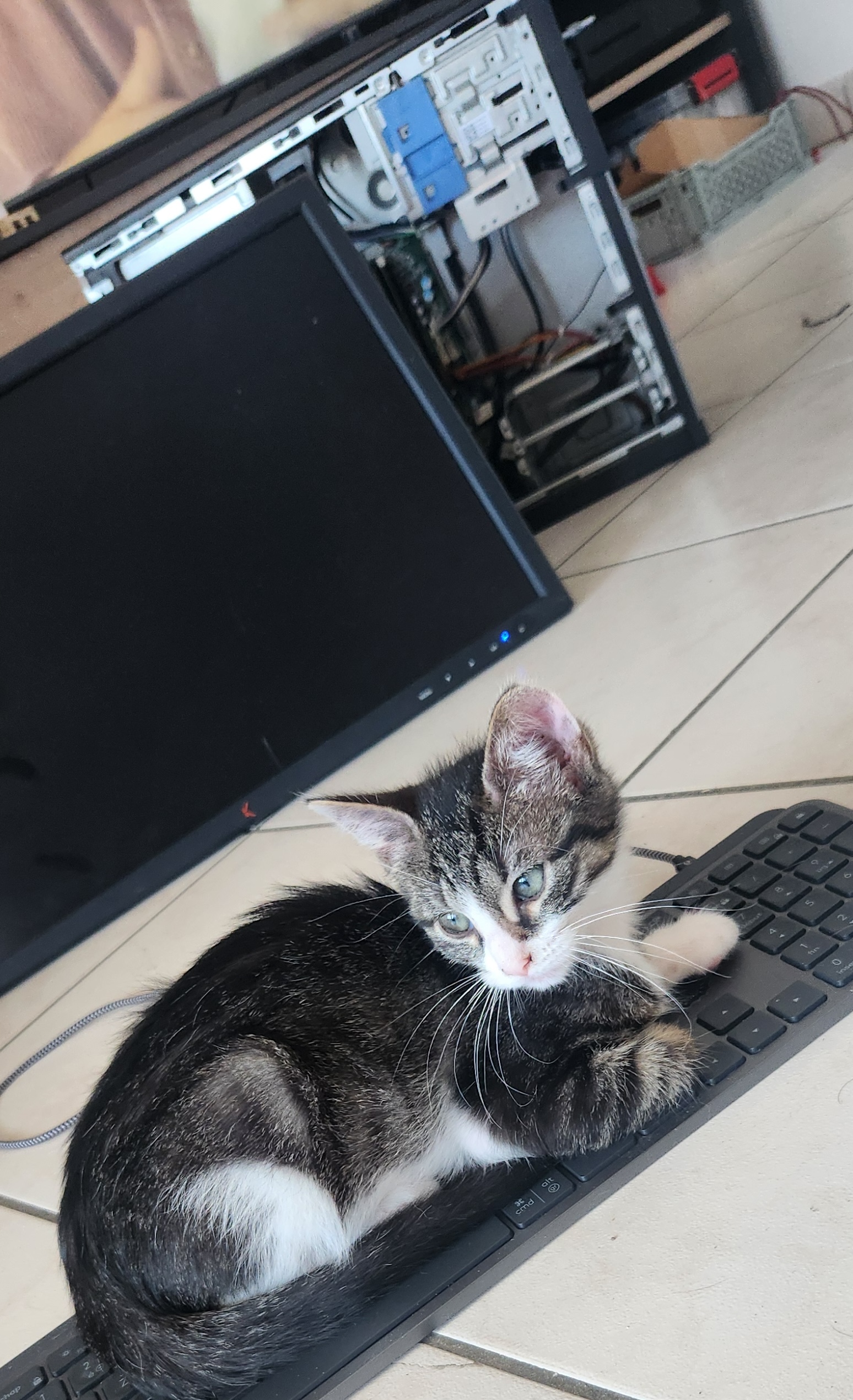
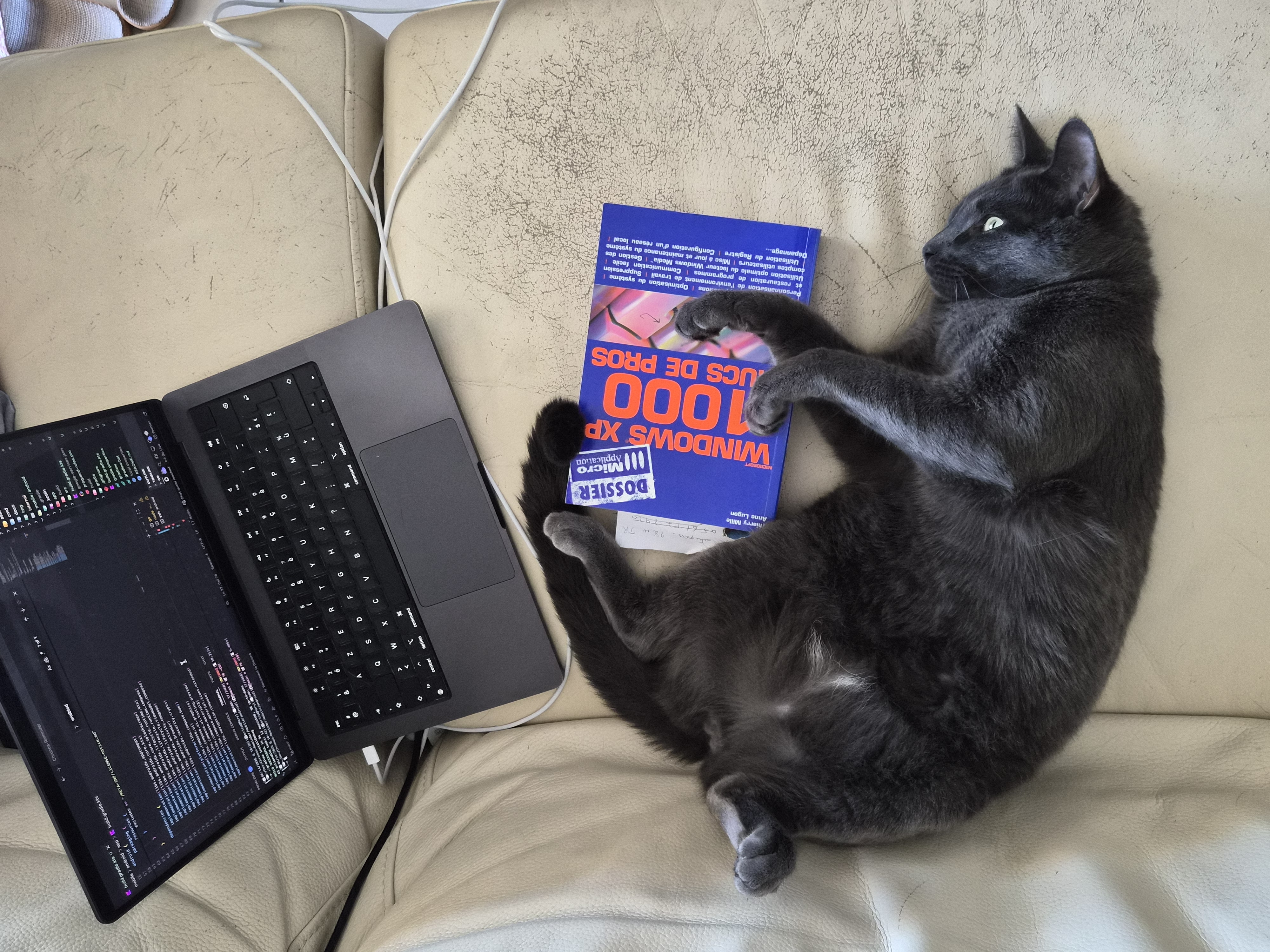
The install actually happened under the close supervision of my cat, comfortably settled on the keyboard.
That's also where I started truly learning the networking side of things. Opening only the strictly necessary ports on the router, understanding DHCP, reserving an IP, making my projects reachable from the Internet without turning my living room into a sieve. Concepts I used to skim over, and that suddenly made concrete sense because it was my machine, my network, my data.
Then a realization hit: Docker already isolates services from one another fairly well, true. But if the machine's Docker daemon goes down, for any reason at all, everything falls with it, all at once. A single point of failure for everything I was hosting. That bothered me.
Looking for a way to solve that is how I discovered Proxmox.
Proxmox Enters the Scene, and the Dell Retires
Proxmox VE is a hypervisor: a system whose job is to run virtual machines and containers, each nicely isolated, with the freedom to create, clone, back up, and move them around at will. Discovering that, along with the sheer range of services you can self-host, made me realize the Dell wasn't going to cut it.
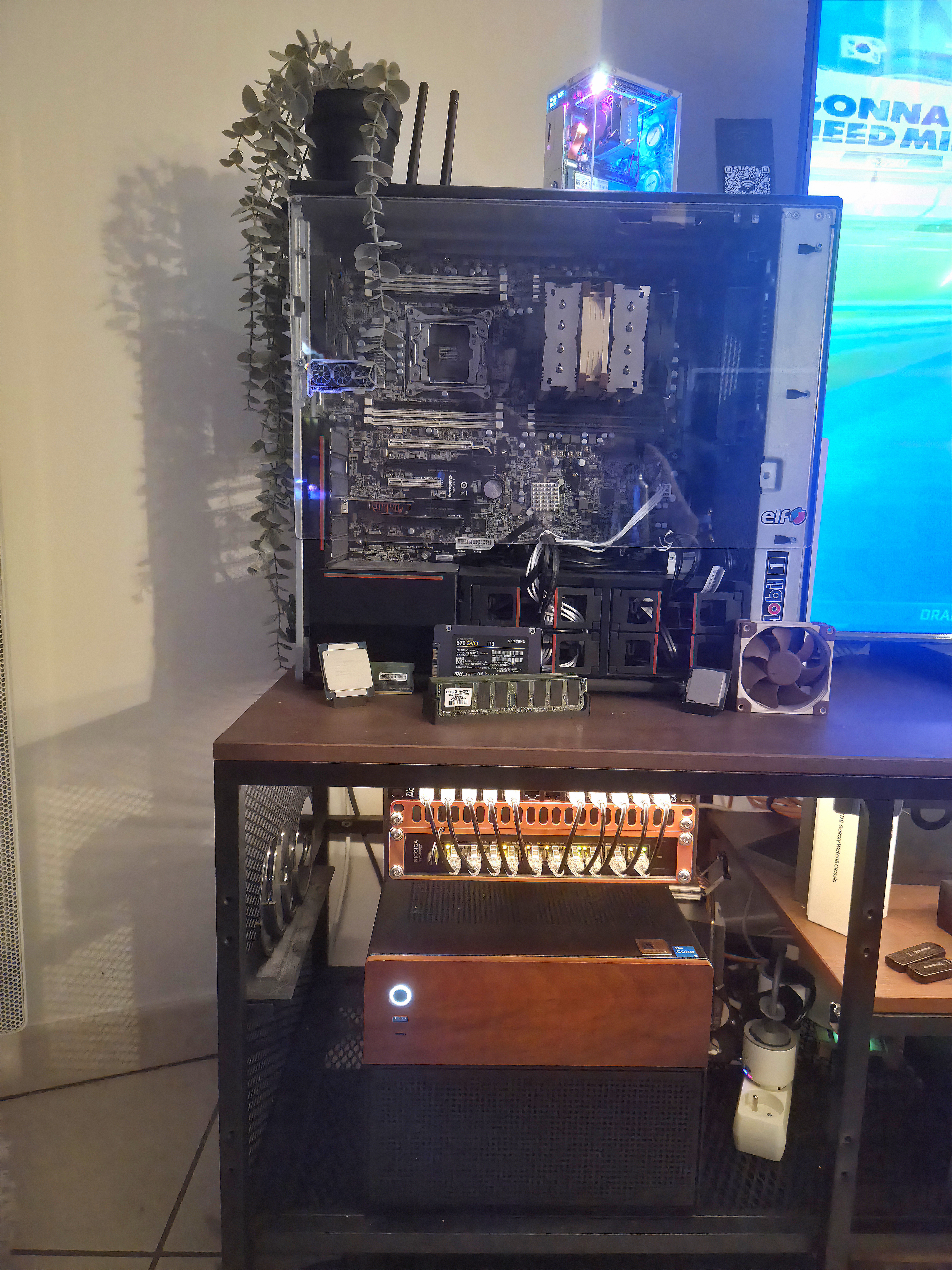
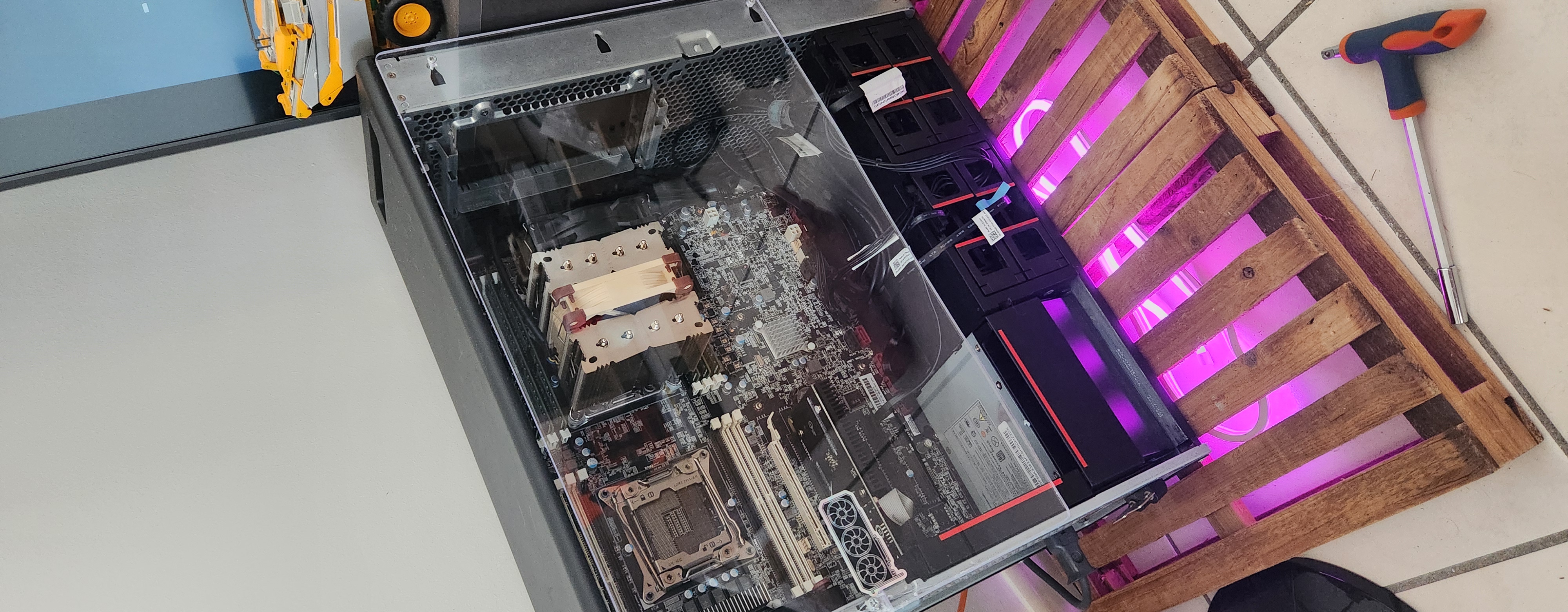
It ended up serving me only two months. Because its big brother was already on the way: a Lenovo ThinkStation P700. Two Xeon processors, 80 GB of RAM, a genuine workstation beast. It got me so close to the fantasy image I had of a "server": big processors, tons of RAM, a huge motherboard. The dream.
Installing Proxmox was a revelation. My first VM took over everything I'd been doing on the Dell, but now I could spin up machines on demand, exactly like the ones I used to rent from OVH a few months earlier, except this time they were mine.
The Hunt for Watts
Having a big machine is cool. Paying for it in electricity all year round, much less so. And it became my number one constraint.
The two original Xeons offered insane power and resilience, but they pulled over 180 W at idle. To put that in concrete terms: a server drawing 180 W around the clock adds up to more than 20 euros a month. Twenty euros. A month. Just to host my websites and tinker. Not to mention the noise, which usually comes bundled with the power draw.
So I went hunting, methodically:
- Keep only one of the two CPUs, then swap it for a variant with more cores but clocked lower (the "L" suffix on Xeons, for low power)
- Trade the stock server fan, a jet engine on takeoff, for a quiet Noctua
- Spend a considerable amount of time in the BIOS disabling everything I'd never use
Silence and energy efficiency became design criteria in their own right, right alongside raw power. A lesson I'd reapply at every step from then on.
A Homemade NAS: TrueNAS, ZFS, and the (Deliberate) SSD Choice
The idea of having a real NAS, a centralized and redundant network storage, had been rattling around in my head. What was left was the most important decision: the disks.
The classic reflex is to go for big mechanical hard drives: lots of terabytes for cheap. But I wanted silence and energy frugality above all, and for my capacity needs at the time, SSDs drew noticeably less power while being completely silent. So I went with three 1 TB Samsung SSDs, one of them for redundancy.
For the software side, off to TrueNAS, leaning heavily on the Hardware Haven YouTube channel, whose videos saved me for the whole NAS setup and well beyond. TrueNAS is built on ZFS, a filesystem that handles redundancy itself, constantly verifies data integrity, and makes near-free snapshots. Exactly what I was after.
I virtualized TrueNAS under Proxmox. And here came the first decision I'd end up regretting: I virtualized Nextcloud under TrueNAS rather than as a proper Proxmox guest of its own, thinking I'd "keep related things together." It felt logical at the time. In practice, it blended responsibilities that should have stayed separate.
No matter, Nextcloud was running, and it fulfilled its primary mission: de-Googling me. Goodbye OneDrive, which was getting more and more painful. My files, at home.
The Network Takes Shape: Tailscale, Pi-hole, and the End of Open Ports
In parallel, I beefed up the network. I set up a Caddy reverse proxy out front to route traffic to the right services. Second regretted decision: I installed it directly on the Proxmox OS, the hypervisor itself, instead of tucking it into its own container. As a result, the proxy shared the fate of the hypervisor, and its dependencies polluted the host system. Do not repeat.
I also added two pieces that never left me again:
- Tailscale, to work on my server from the outside and reach services without ever exposing them publicly. A private network that follows me everywhere.
- Pi-hole, to filter trackers and ads at the source, and run my own local DNS.
But a problem kept growing: as I lined up more services, managing all the ports each container had to expose to the reverse proxy, across VMs, was becoming a headache. That's when I switched to Traefik.
For the curious: Traefik discovers containers directly through the Docker socket by reading their labels. No more opening and mapping a port per service; you describe the routing right next to the container, in its labels, and Traefik handles the rest. Each service simply declares its internal port, never published on the host: zero ports needlessly open, everything flows through the socket. It cleaned up the infra in one shot.
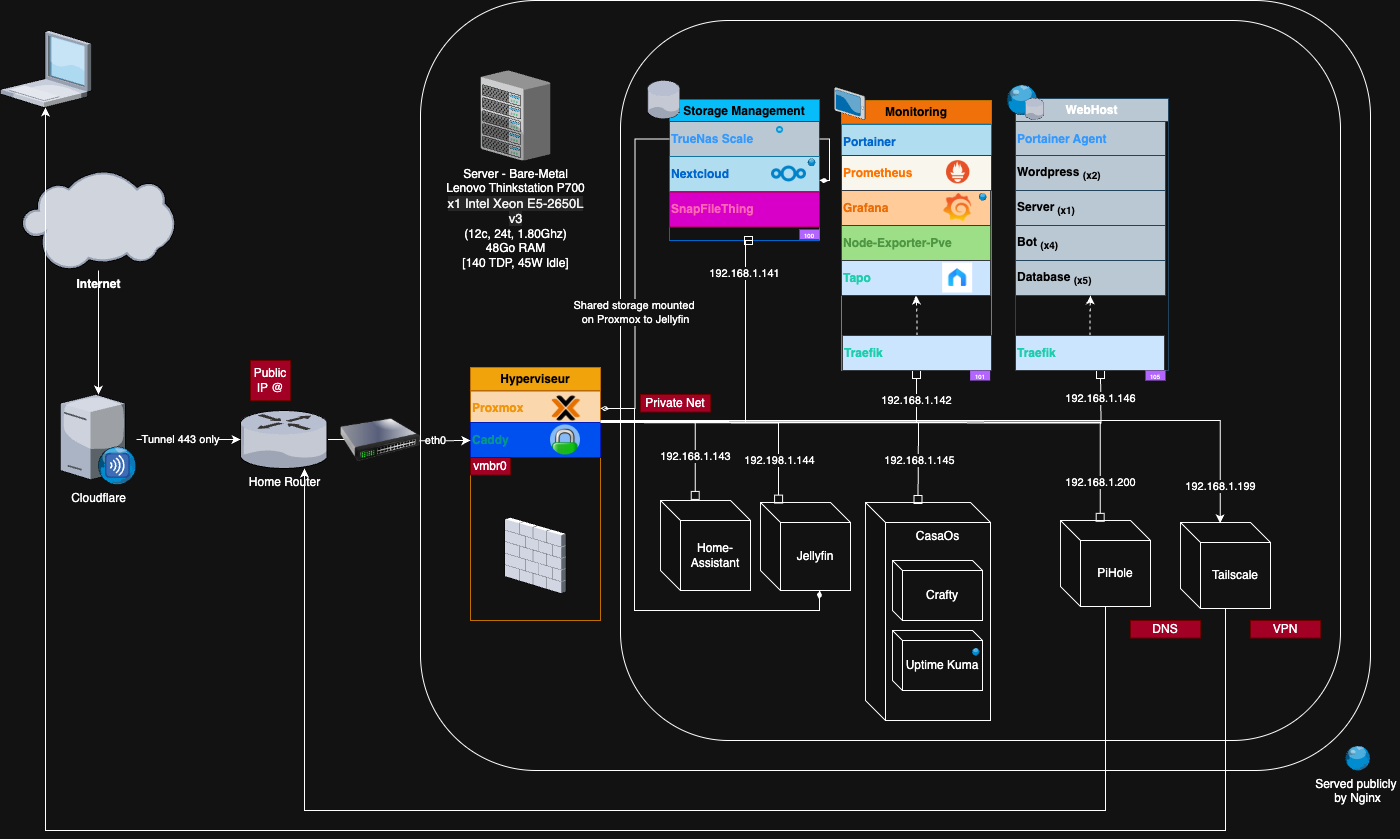
This first version rested on a handful of building blocks: a WebHost VM for my projects, a monitoring stack (Grafana and Prometheus to watch it all), TrueNAS with Nextcloud, Tailscale, and Pi-hole. Clean, functional, and already far more than I needed. It was supposed to be the end of the story.
It was only the beginning.
Home Assistant, or the Home Automation That Deserves Its Own Chapter
Then I discovered Home Assistant, and my home was never the same.
Before, I had Wi-Fi connected devices driven by Google Home. The problem with Wi-Fi for home automation is that it's fragile, dependent on network quality, and it nibbles away at precious bandwidth with dozens of little devices chattering nonstop. Not to mention the dependence on a cloud I don't control.
I moved everything to Zigbee, a radio protocol dedicated to connected devices, through Zigbee2MQTT. The difference is night and day: Wi-Fi is offloaded, integrations are ridiculously simple, just about anything can connect to Home Assistant, and I get full control over my data and my location. Polished interfaces, endless automations.
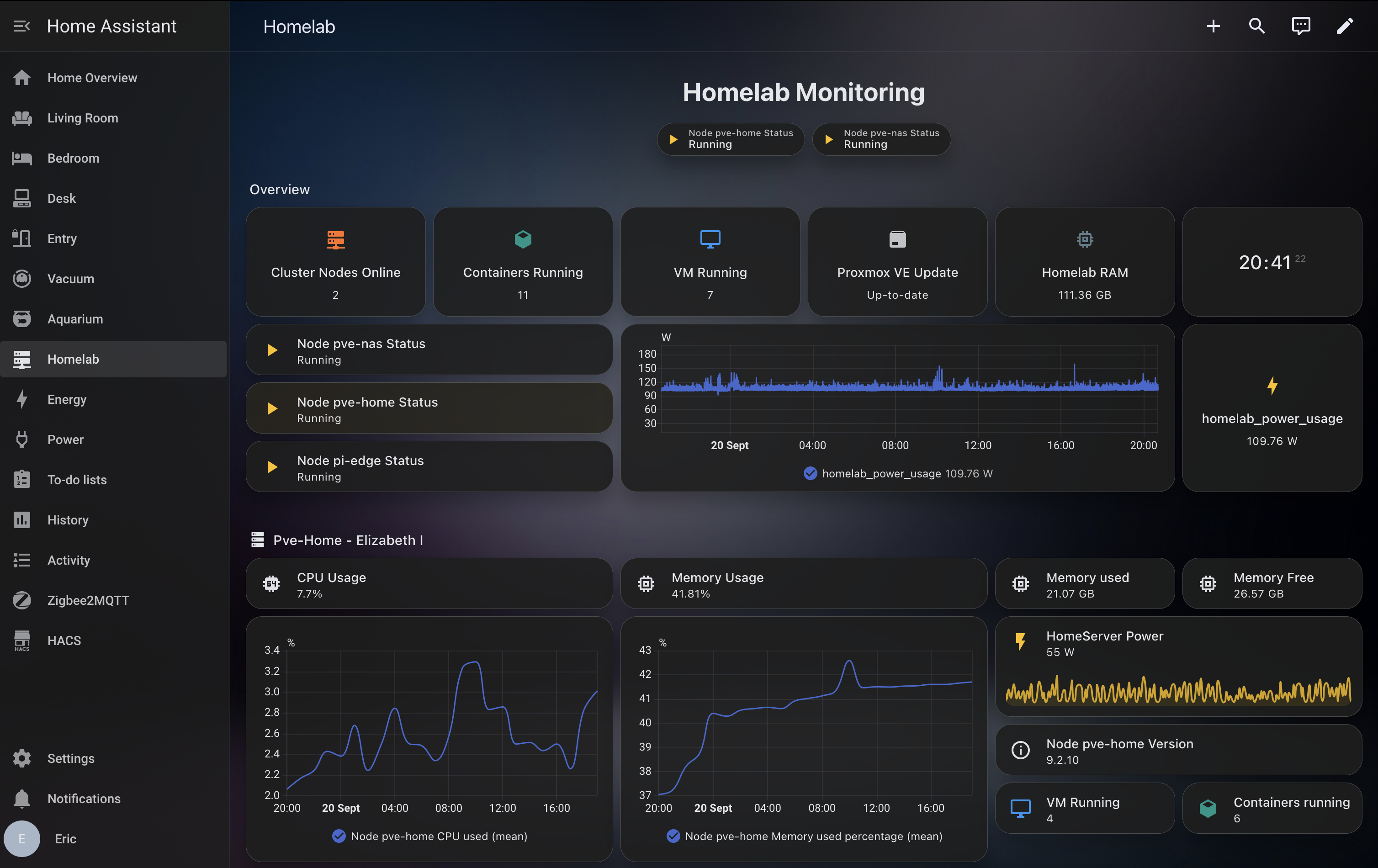
Honestly, Home Assistant deserves an entire article to itself. Its modularity still blows me away every single day. It's the kind of tool you can't imagine giving up once you've tasted it.
May 2026: The Day the Cat Almost Killed My Server
I come home one evening in May 2026. My PC won't turn on. Nothing. Dead silence.
That handful of seconds where I realize all my data, all my configurations, every bit of work from the past months might be gone, I remember it precisely. The panic, the pit in my stomach, the whole reel playing in my head.
Then I look behind the cabinet. The cat, a colleague of my faithful Ubuntu-install supervisor, had simply switched off the power strip with its paw.
More fear than harm, then. But the lesson stuck: I need to add more redundancy, back up my configurations, duplicate my data following the 3-2-1 rule (three copies, on two different media, one of them off-site), and above all document. A ten-second scare caused by a cat did more for my rigor than any tutorial ever could.
Too Many Passwords: Authentik Arrives
Another problem, more insidious: the sprawl of accounts. Every service its own login, its own password, its own sign-in page. It was getting unmanageable.
While hanging around the r/selfhosted subreddit, I stumbled onto Authentik. From the very first read, I knew it would be my solution. Authentik is an identity provider (SSO): instead of dozens of accounts, you sign in once, and that identity unlocks every compatible service.
response_modes, each one masking the next. Authentik settles all of that through its interface, with validation as you type. The price to pay is RAM (around 1 GB, versus a few dozen MB for Authelia).Thinking Bigger: The Dedicated NAS Decision
Everything was running fine. I could have stopped there. But sorting, categorizing, optimizing is an almost physical need for me, and the urge to level up was too strong.
That opened a long, very long phase of deliberation. Two more nodes? Just one? Another Proxmox node, or a dedicated NAS? Should I build my own router on OPNsense, carve my network into neatly organized subnets to satisfy my need to file everything into categories and numbers?
I eventually came back to the original need, pragmatically: a dedicated NAS, storage-focused, separate from the rest. Offload the big Lenovo, build redundancy that no longer rests on a single machine.
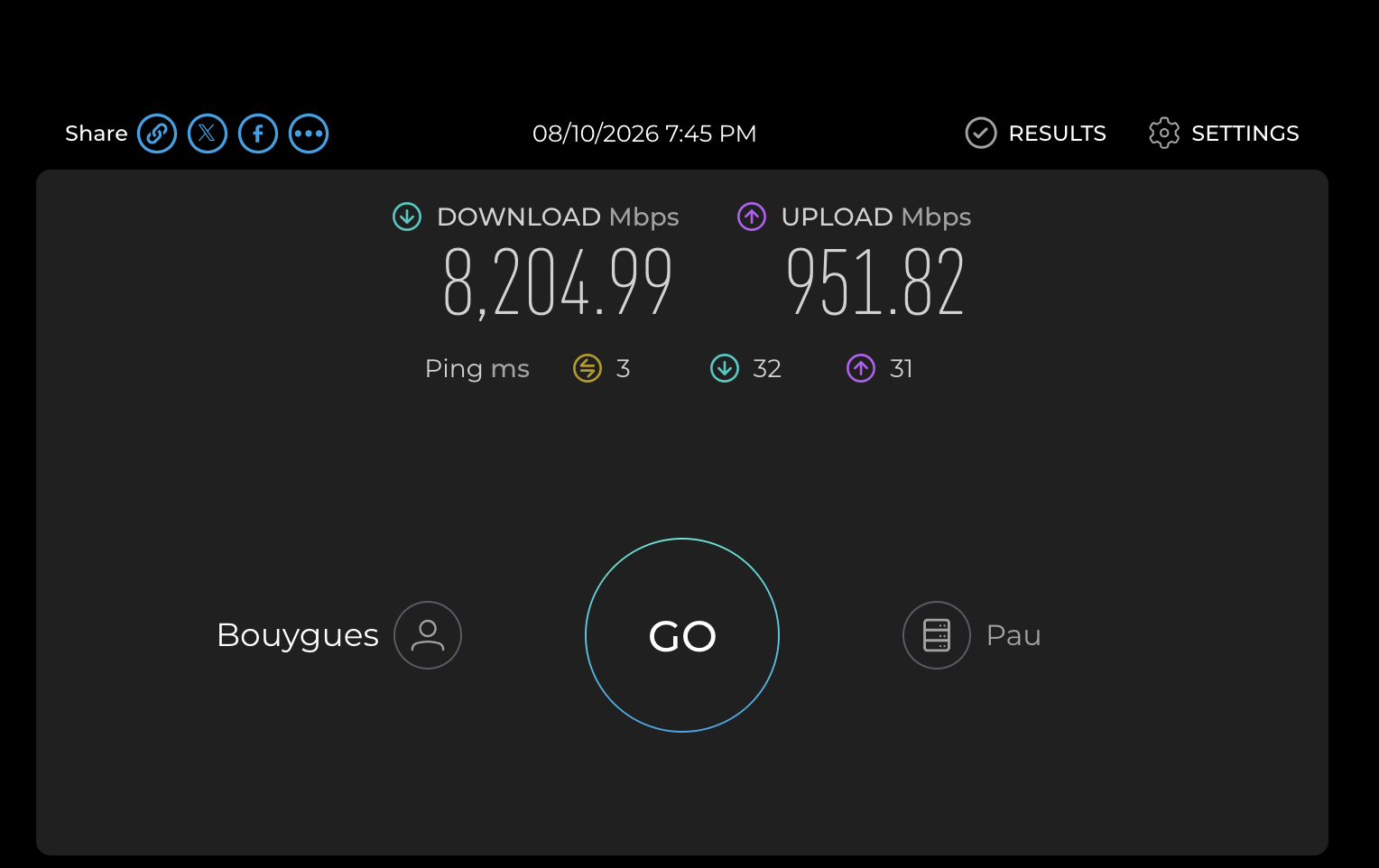
That research still turned me into a conscious participant in the network flowing through my home. I learned there's no point having a router that delivers 8 Gb/s down if the machine's network card tops out at 1 Gb/s. What a joy to clear that bottleneck with a 10 Gb card and finally enjoy the network at full throttle.
Choosing the Hardware, Between Aesthetics and Shortages
A new constraint, and not a minor one: my homelab had to stay aesthetic. No way was it going to look like a miniature datacenter sitting in the living room.
The Jonsbo N4 case fit that need perfectly, with its wooden front that makes it pass for a decor object rather than server gear. For storage, back to mechanical drives this time: three 4 TB WD Reds. The target capacity made SSDs too expensive to amortize (with the shortages, the price gap wouldn't have paid off before eight years), and I made my peace with the compromise.
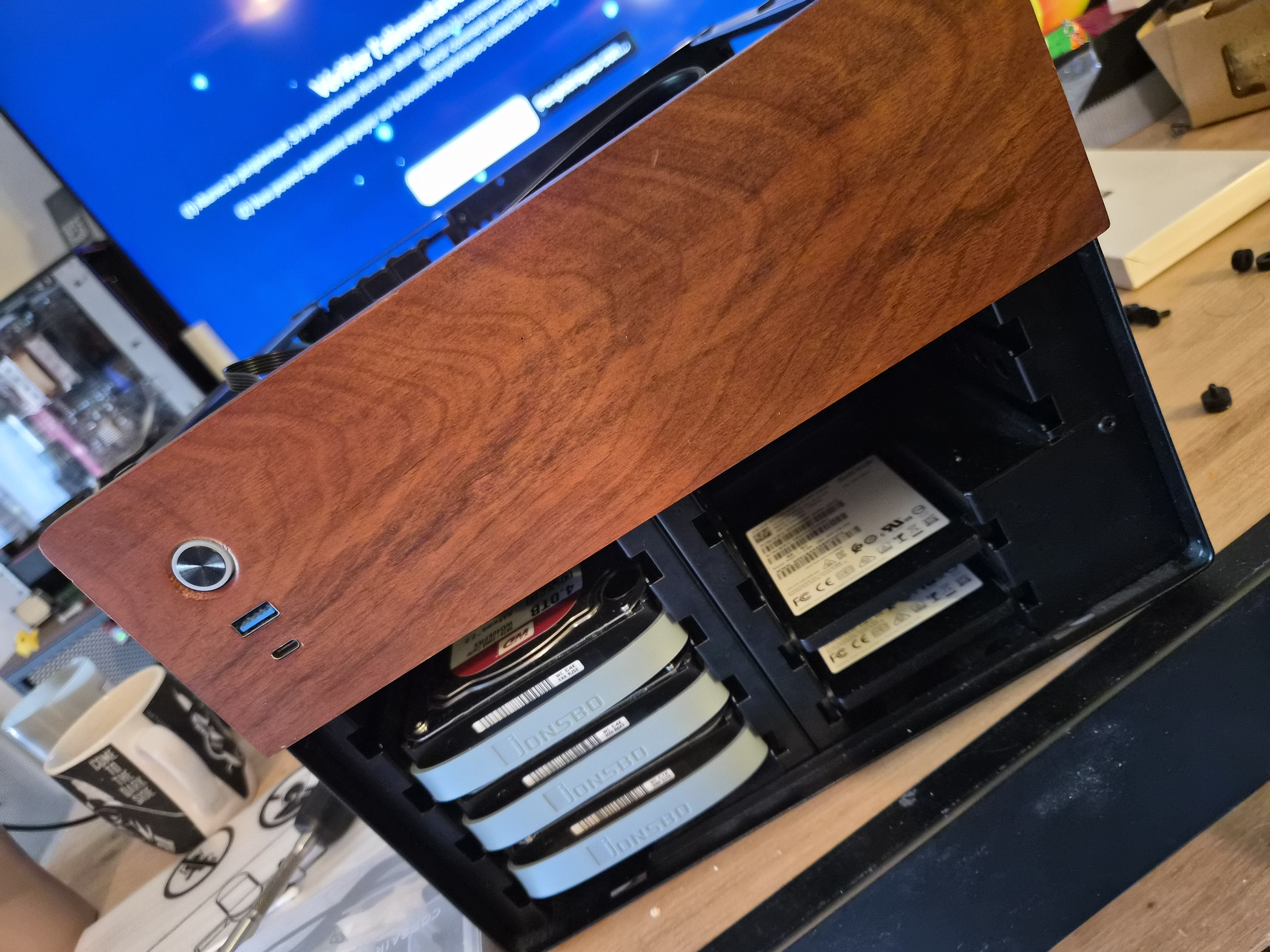
Speaking of which, the component shortage, supercharged by the AI gold rush, made finding 64 GB of RAM and hard drives at a reasonable price particularly painful. Easily the least fun part of the whole journey.
The rest of the build was picked carefully: a CPU capable of efficiently decoding video files, a motherboard in the right form factor with the right features, and an HBA card to hand the disks over to TrueNAS in direct access via IOMMU, a lesson learned along the way.
The Build, the Cluster, and the Joy of Tidiness
Building the PC was a pure moment of joy. That feeling of sliding each disk into its bay, assembling piece by piece a machine you'd been designing in your head for weeks. Nothing like software.
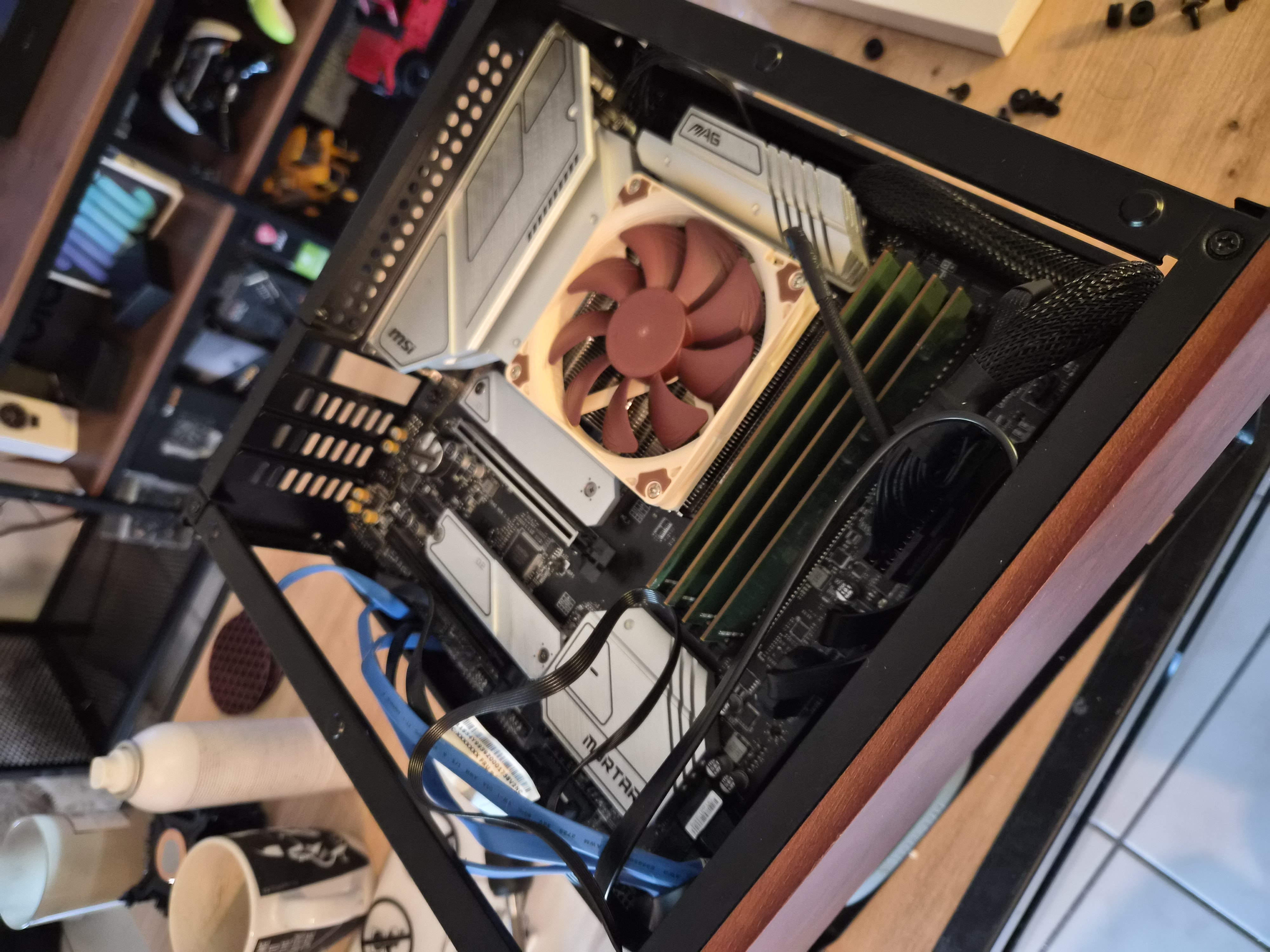
I made a deliberate architectural choice: keep TrueNAS virtualized under Proxmox rather than bare metal. It lets me restart, back up, and move the VM from one machine to another easily, and above all use Proxmox one level up, as a cluster. (And I have to admit there's a certain swagger in saying you run a cluster at home.)
Once the second node was installed, TrueNAS deployed, and the tank pool created, I migrated Nextcloud, discovered Immich along the way (goodbye Google Photos, on top of Google Drive and OneDrive), and put everything behind Authentik. I recycled the old first-NAS hardware to build a backup NAS (two 1 TB Samsung SSDs in a mirror), the target for automatic replications at several granularities.
HomeCluster).| pve-home (P700) | pve-nas (MSI B660M) | |
|---|---|---|
| Role | compute, network entry, backup | storage, transcoding |
| CPU | Xeon E5-2650L v3 | i5-12400 (QuickSync) |
| RAM | 48 GB | 64 GB |
| Storage | backup pool (2× 1 TB mirror) | tank pool (RAIDZ1 3× 4 TB) |
ZFS replication pushes tank/apps and tank/share to the backup pool every night, with a longer retention on the destination than on the source (two months versus one). That gap is precisely what gives a backup its value: a deletion noticed six weeks later is still recoverable. Media, being re-downloadable, is excluded. The missing link, which I'm living with for now: both nodes are in the same place, so they're protected against a hardware failure, not against a disaster. The off-site copy is on the list.
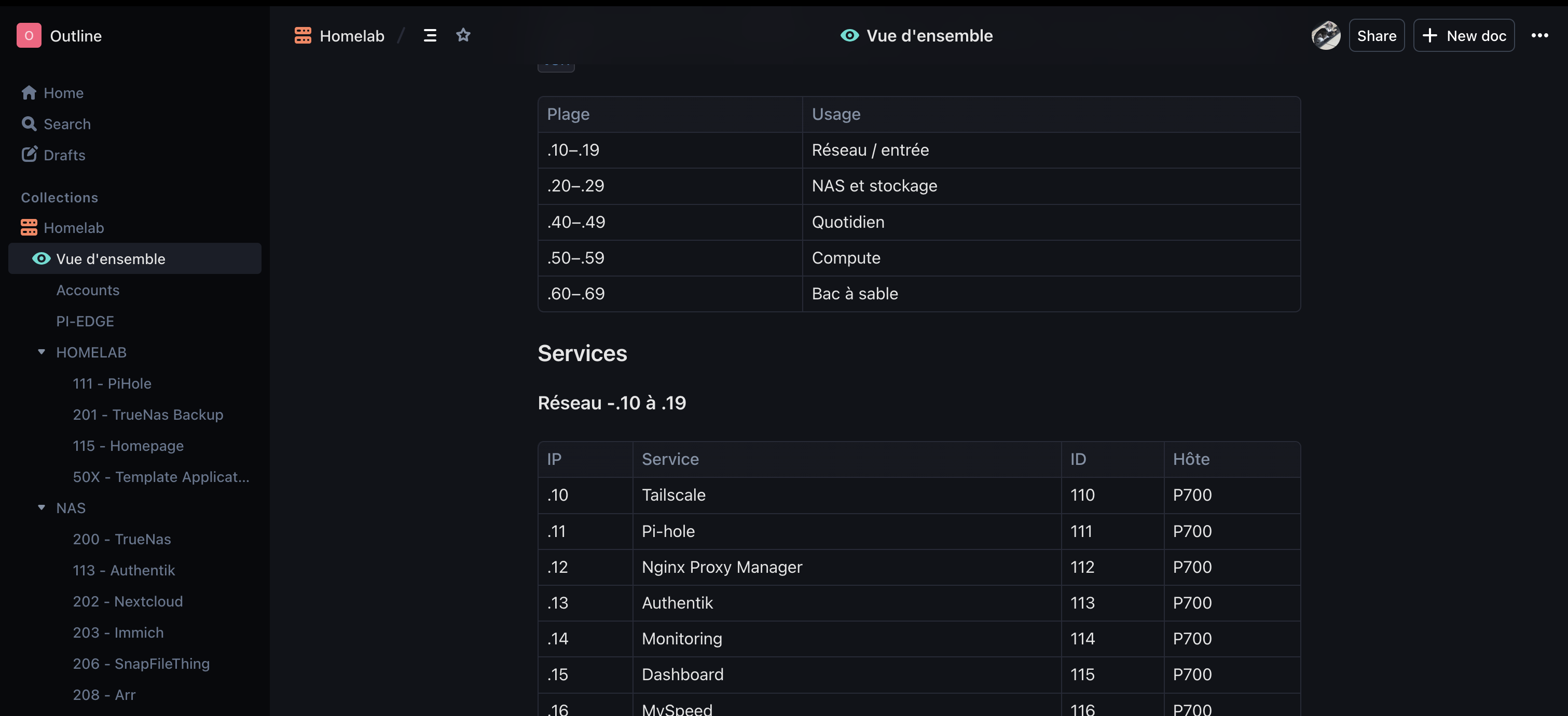
And to satisfy my slightly obsessive tidiness, I adopted a simple, rigorous IP addressing convention.
2xx container gets the IP 192.168.1.2x. Immich (VM 203) is at .23, Nextcloud (VM 202) at .22, and so on. Ranges are reserved by purpose: .10-.19 for networking, .20-.29 for storage, .40-.49 for daily use, .50-.59 for compute. Seeing an entire infrastructure sorted by coherent numbers is a satisfaction I can't fully explain.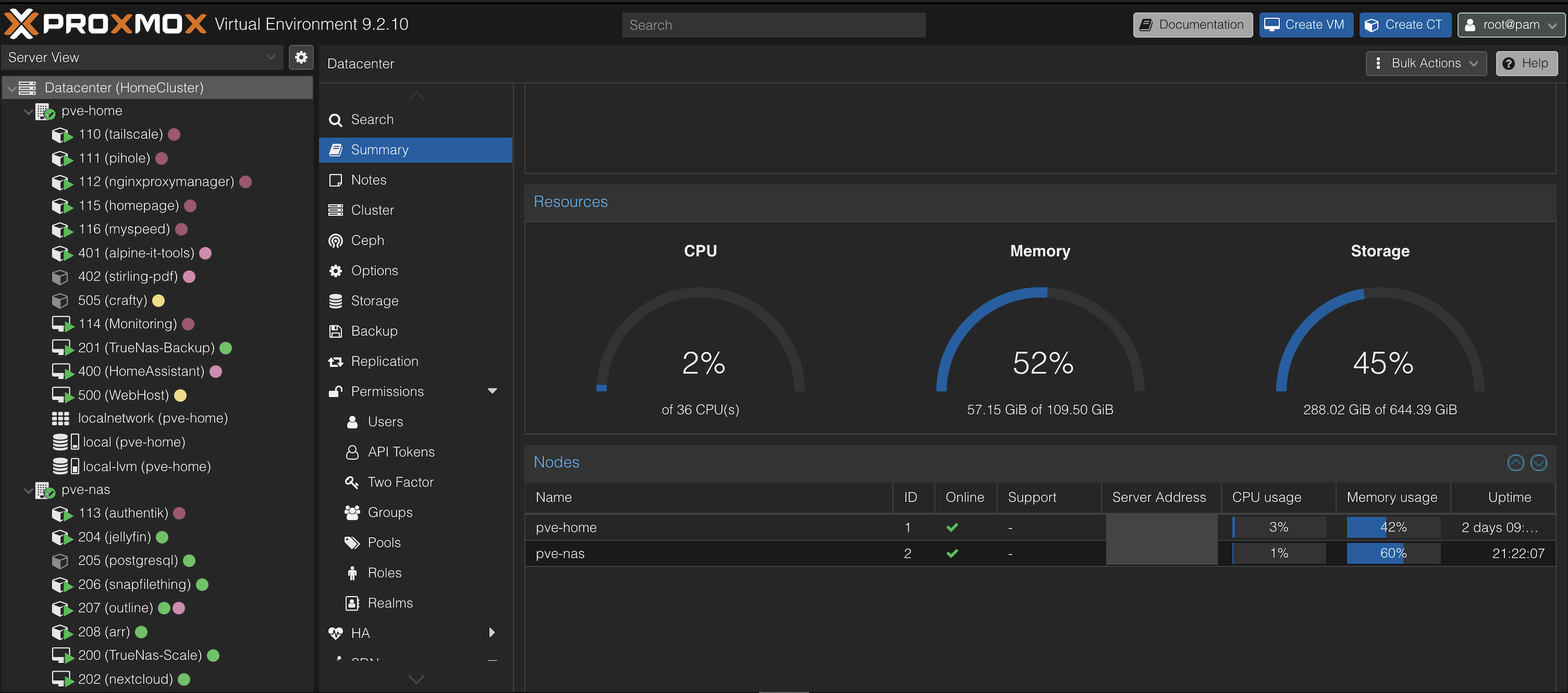
Documenting, Sorting, Admiring
With scale comes the need to document. I set up Outline, a self-hosted alternative to Notion, and that's where I now log the entirety of my self-hosting journey: the mistakes, what works, the changes, the procedures to reproduce when needed. A personal wiki that quickly became invaluable.
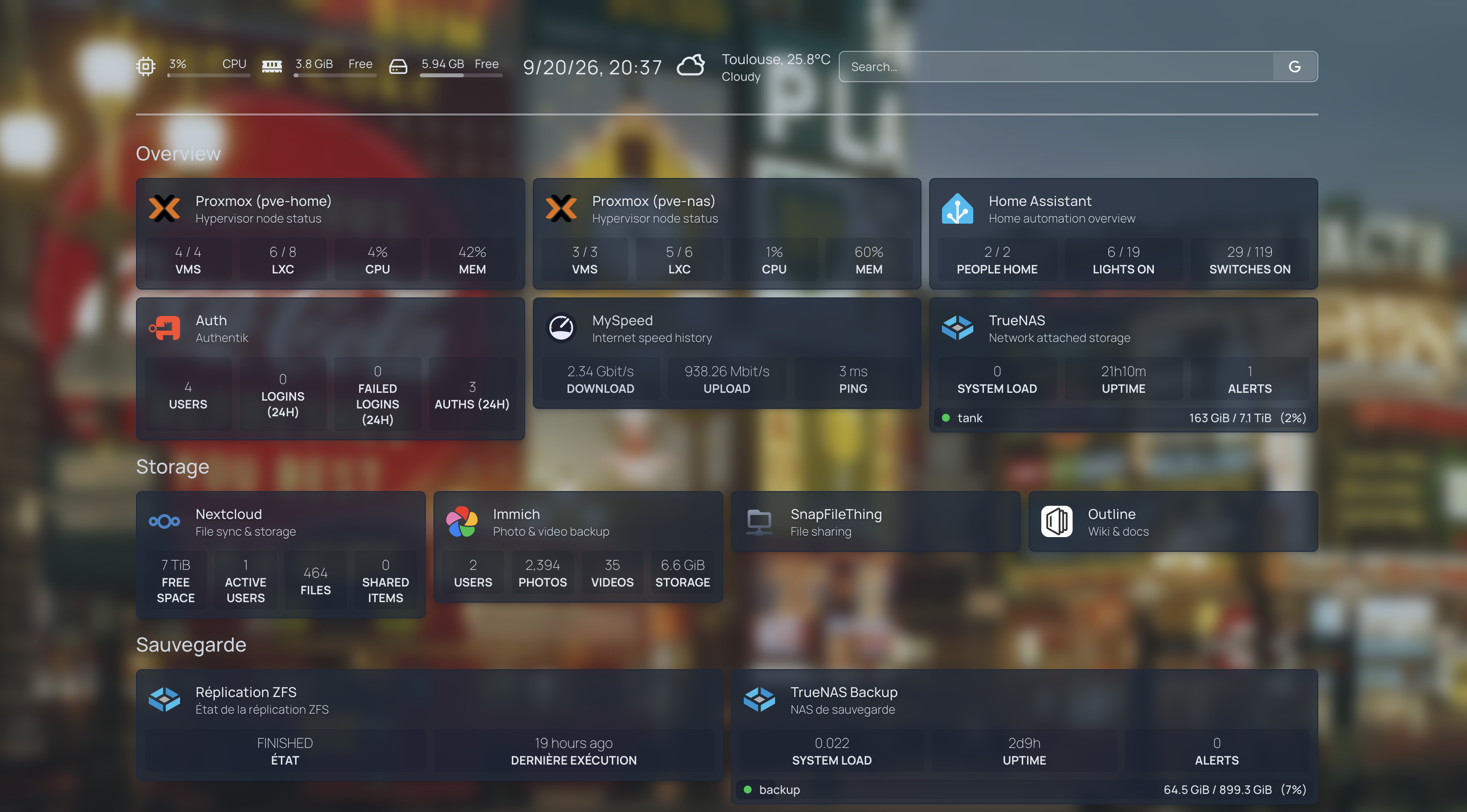
I took the opportunity to fix two of my historical regrets. Nginx Proxy Manager replaced the old Caddy, this time properly confined in an LXC container, with a graphical interface that makes configuration crystal clear. And I set up a Homepage, a single dashboard giving access to all my services at a glance. Seeing the full extent of my homelab gathered on one page, there's real pride in that.
The Second Incident: The Quorum, the Plug, and the Snake Eating Its Own Tail
Everything is perfect. Everything is running. Until the day I decide to casually update the firmware of the Zigbee plug behind my server, the very one I use to monitor the homelab's total power draw.
What I didn't know was that the update would cut the plug, and therefore force the nodes to reboot. And then a beautiful domino effect kicks in, worthy of a scenario written specifically to humble me:
- 1The NAS wasn't configured in its BIOS to restart automatically when power came back.
- 2Its own smart plug didn't turn back on by itself either.
- 3Without being physically present, and with Home Assistant down, there was no way to restart anything remotely.
- 4Except that, to launch Home Assistant, the Lenovo had to boot Proxmox and bring up the cluster.
- 5Except that with only two nodes, there was no way to reach a quorum. So the cluster refused to start.
The snake was eating its own tail. To restart the system, I needed Home Assistant; to launch Home Assistant, I needed the system.
That incident surfaced a chain of little things to fix: the BIOS behavior on power return, the plug's behavior without Home Assistant, and above all that pesky quorum demanding a third voter, whatever its nature.
A Tiny Third Node: The Raspberry Pi qdevice
Already having plenty of firepower, adding a full third node just for a vote was out of the question. I needed a referee, not a heavyweight.
A Raspberry Pi, in a Pironman case, generously equipped with 16 GB, made the perfect candidate: low power draw, minimal footprint, good-looking, available. It plays the role of qdevice, a simple external witness that brings the third vote and consolidates the quorum, all while plugged into a non-smart outlet to avoid replaying the disaster scenario.
corosync-qdevice. It runs no workload, it simply breaks ties, which is enough to unstick a two-node cluster. Ideally I'd relocate it physically to get it out of the same point of failure, but that's an improvement I'm willing to defer for now.That little Raspberry Pi did more than vote. It also hosts Komodo, replacing Portainer (which keeps drifting toward Kubernetes and tightening its free license), a second Tailscale exit node to keep access to my homelab no matter what happens to the other two machines, and a backup Pi-hole that syncs itself. A discreet and remarkably effective safety net.
Where I Stand Today
Today, the whole thing purrs along, and every piece has its place.

A NAS that NASes at full tilt, with services that changed my daily life: Nextcloud for my files, Immich for my photos, Jellyfin for my media (with hardware transcoding via QuickSync), Outline for my documentation. Compute that computes, with a Traefik-based infra for all my projects. Home Assistant, indescribably brilliant in its modularity. And an organization tidied down to the last detail that quiets my need to sort everything.
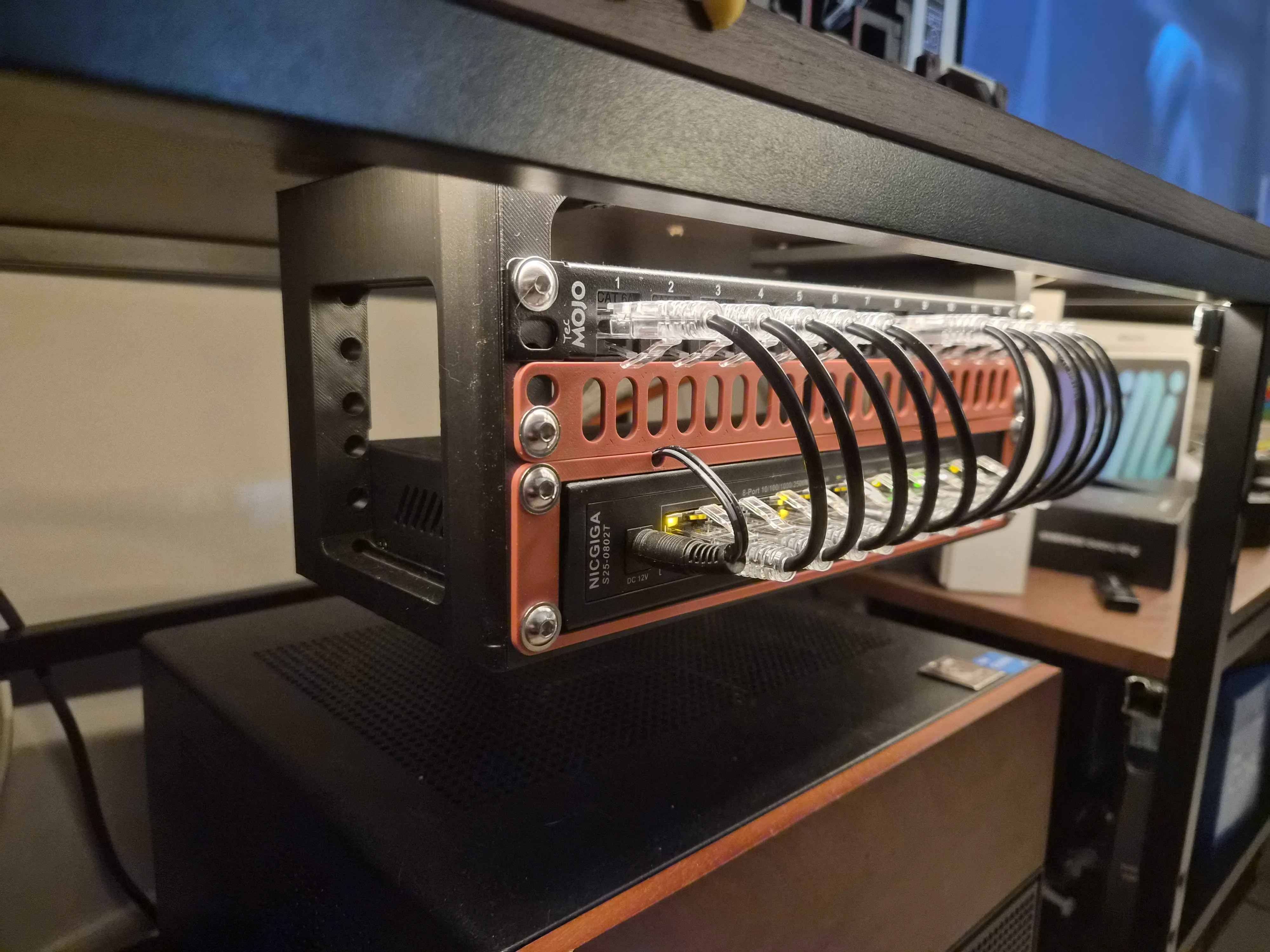
I even modeled and 3D-printed a desk-mount rack myself, then set up an ethernet patch panel and my switch on it, to get that little "server room" vibe while keeping the decor light. Link: Makerworld
What strikes me most, looking back, is just how much this infrastructure side fascinates me. So much so that today, as a Software Engineer, I can just as easily picture myself pivoting toward DevOps. This homelab didn't just host my projects, it redrew the map of what I want to do.
The Philosophy of Self-Hosting
If there's one thing these two years taught me, it's that self-hosting is a constant evolution, never fixed in place. There are levels for everyone, from a simple Raspberry Pi with two containers all the way to a multi-node cluster with ZFS replication.
And there are still so many levels beyond what I've built. Services I haven't explored yet, optimizations I haven't made yet, problems I haven't run into yet. And that's exactly what's exciting: there's always something to learn, to improve, to discover.
The range of complexity and cost is dizzying, and that's the whole point: every need is different, every bit of curiosity can actively feed itself. You're never forced to do it all at once. You move forward one scare, one outage, one Reddit thread at a time.
What's Next?
The list of directions is as long as it is exciting. Relocating a probe to a VPS to keep monitoring even during an Internet outage. Installing a UPS to absorb power cuts. Replacing the big Lenovo, underused these days, with a far more frugal Mini PC. Versioning my Proxmox configurations in a Git repository. Getting ahead of replacing the tank pool disks, some of which are reaching respectable flight hours.
And above all, all the ones I haven't discovered yet, the ones I'll find by watching videos, reading Reddit threads, and mostly by running headfirst into very concrete problems and then learning to solve them. That's what best sums up my days in self-hosting.
I wouldn't trade this life for anything.
Got a homelab in mind, or the itch to get started? Feel free to reach out. I'd love to talk about your infrastructures, your architecture choices, or simply help you unstick a stubborn quorum.